Cruise Performance
The Cruise Performance screen allows you to calculate cruise performance based on environmental conditions and engine parameters.
Accessing Cruise Performance
To access Cruise Performance, select an airplane from your airplane list, then tap Cruise in the bottom navigation bar. The app will display the calculation screen for the selected airplane.
Overview
The screen is divided into 4 main areas:
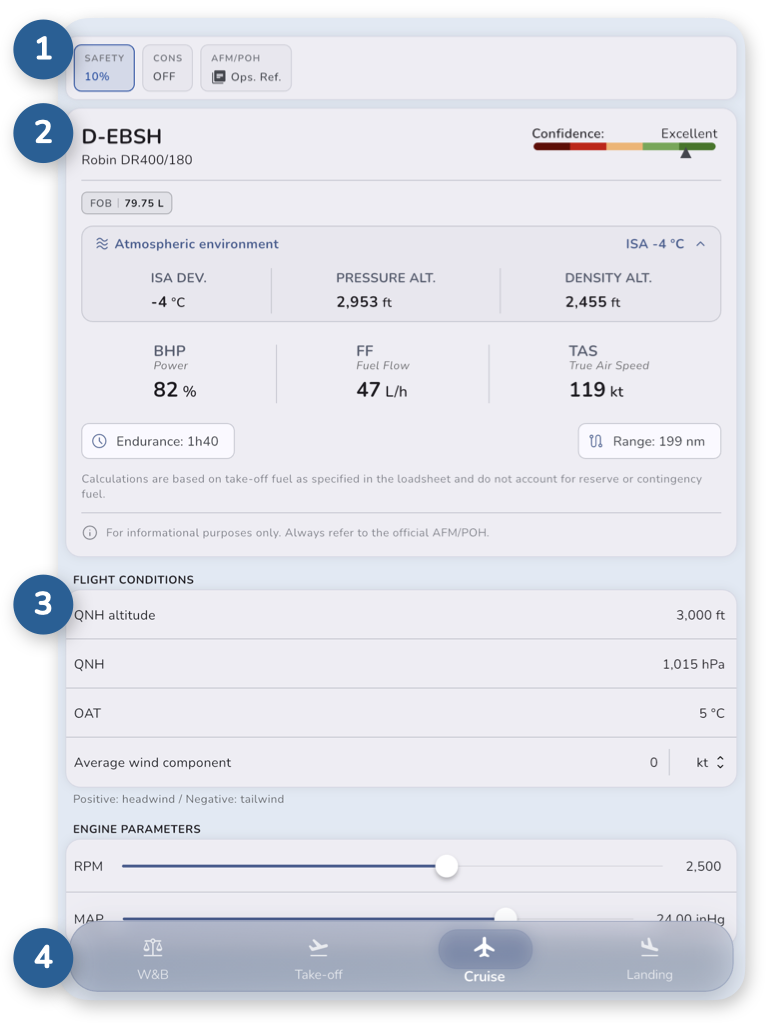
- Control bar – Allows you to customize calculation parameters and apply additional safety buffers.
- Calculation results – Displays cruising data and any related warnings.
- Input – Enter environmental conditions and engine parameters.
- A bottom navigation bar allows you to switch between different calculation modules.
All results update instantly as you enter data.
Control bar

The control bar provides quick access to calculation parameters, calculation modes.
Located at the top of the screen, it includes the following options:
- SAFETY – Safety factor (%). Adds a safety margin to all calculated values, increasing Fuel flow proportionally to provide more conservative results. This adjustment applies only to the current calculation.
- CONS – Conservative mode. When enabled, calculations use rounded-up values from the flight manual instead of interpolated data.
For example, if your conditions fall between two reference values, the higher value is used to ensure safer results.
This setting applies only to the current calculation. - AFM/POH - Ops. Ref. – Displays operational reference from the flight manual.
Ops. Ref. – Operational reference
Clicking Ops. Ref. on the control bar opens a side panel showing operational reference from the flight manual.
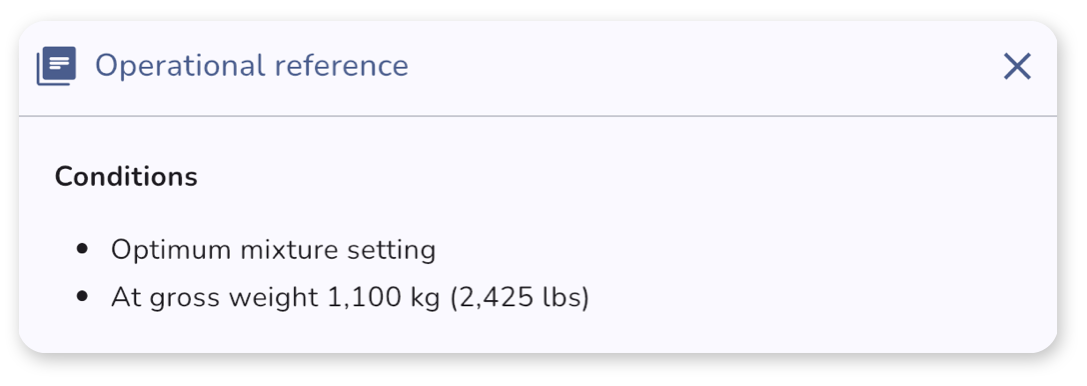
These reference are predefined and do not depend on your inputs. They may include:
- mixture settings
- specific procedures or notes from the AFM
Understanding the results
Below the control bar, the results section displays the calculated cruise performance.
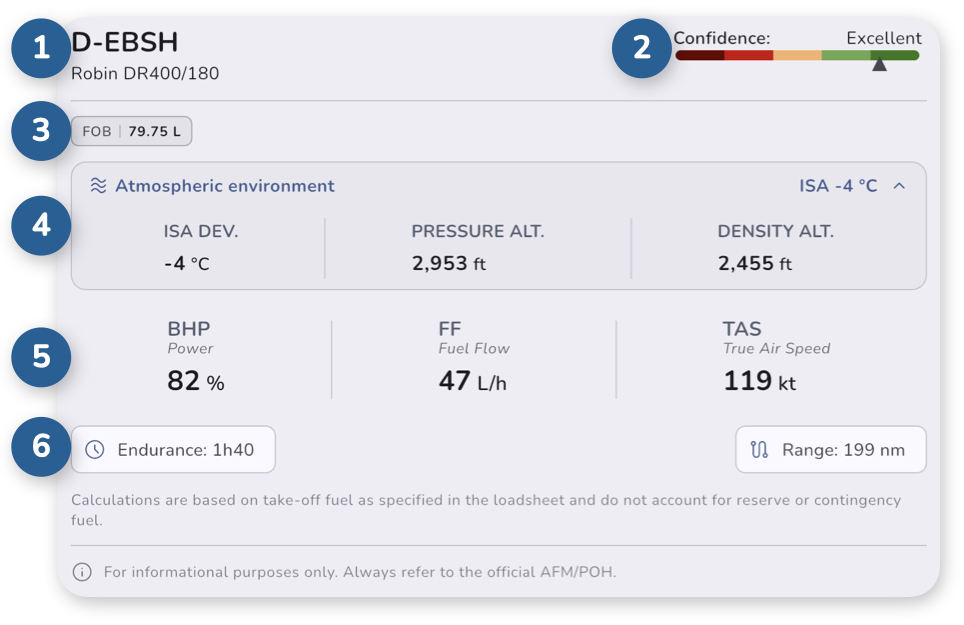
The section is organized in different elements:
- the airplane registration and model
- a Confidence Score indicator
- the Fuel On Board (FOB) at take-off
- the Atmospheric Environment details
- the calculated Cruising Data based on your inputs
- some additional flight planning information such as Endurance and Range achievable
Confidence Score
The confidence score estimates the reliability of the results based on how close your inputs are to available data from the AFM/POH.
- A high score means results are based on solid reference data
- A lower score means more estimation was required
Lower confidence scores may occur when operating outside typical or well-documented conditions known from the Airplane Flight Manual (AFM).
Atmospheric Environment
This expandable section provides additional environmental data used in the calculations:
- ISA deviation
- pressure altitude
- density altitude
Cruising Values
-
BHP – Brake Horse Power, expressed as a percentage of available power
Displayed only for non-FADEC engines. -
FF – Fuel Flow
Fuel consumption per hour using the fuel units selected when creating the airplane. -
TAS – True Airspeed
Cruise speed using the speed units selected when creating the airplane.
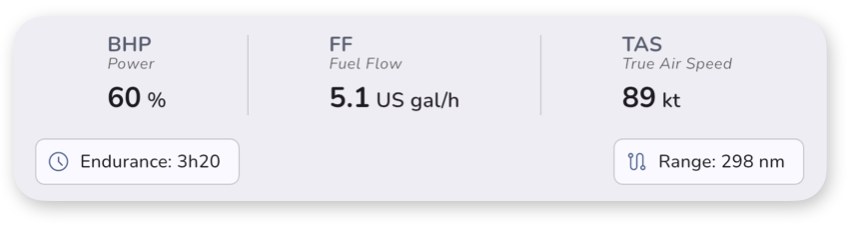
Additional flight planning information is also displayed:
- Endurance – Estimated flight time based on the take-off fuel as specified in the Weight & Balance module.
- Range – Estimated maximum distance based on the take-off fuel as specified in the Weight & Balance module.
Endurance and range values update automatically when the fuel quantity is modified in Weight & Balance.
Entering data
The input section allows you to define the conditions used for the calculation.
It is divided into two parts:
Flight Conditions
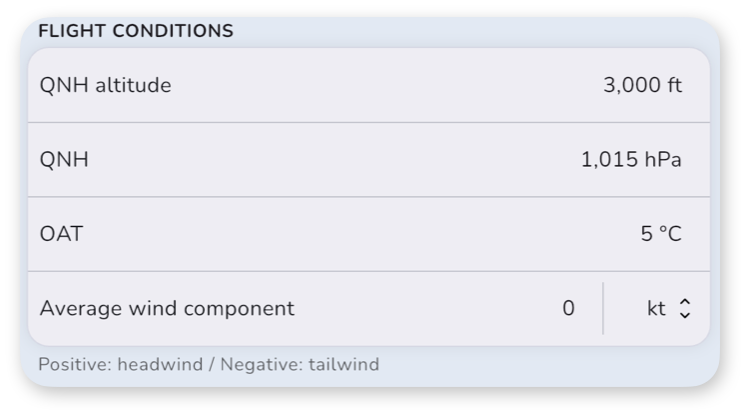
The Flight Conditions section allows you to define the atmospheric conditions for the cruise calculation.
-
QNH altitude – Cruise altitude based on the selected QNH
-
QNH – Atmospheric pressure
-
OAT – Outside Air Temperature
-
Average wind component – Average headwind or tailwind component during cruise
- Positive values represent a headwind
- Negative values represent a tailwind
This value directly affects the calculated range.
Engine Parameters
The Engine Parameters section allows you to define the engine operating parameters used for the calculation.
The available controls depend on the airplane engine configuration.
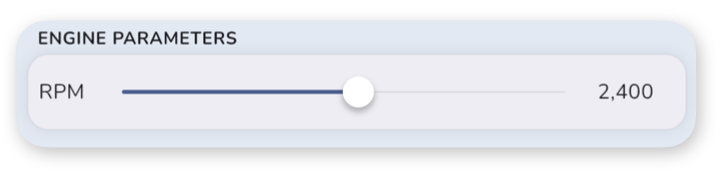
Possible parameters include:
- RPM – Engine revolutions per minute
Available for non-FADEC engines. - MAP – Manifold Absolute Pressure
Available for airplanes equipped with a constant-speed propeller. - Power – Engine power setting
Available for FADEC-equipped engines.